Commissioning the Smart Watch HS 50
For initial commissioning, a short video tutorial provides all relevant information. It can be accessed by scanning the QR code below or using the corresponding link:
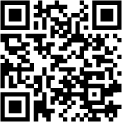
https://nimmsta.com/hs50-erstbetrieb/
Unpacking
Keep the packaging. Use it when returning the item for maintenance or service.
Charging
Place the Smart Watch HS 50 in the charging station. After a charging time of approximately 2 hours, the Smart Watch HS 50 is fully charged and ready for use.
Connecting
Start the NIMMSTA App on your target device and use the Smart Watch HS 50 to scan the displayed “Connect barcode”.

|
Log in to the B2B portal. If you do not yet have login credentials, you can register.
Install the NIMMSTA App (described in more detail in the “NIMMSTA App” chapter) on your target device. It is available for download at https://cloud.nimmsta.com/software. |